Xton Access Manager (XTAM) uses Windows Remote Management technology to execute jobs such as password reset on the remote Windows computers. WinRM is enabled on the windows computer using the following command executed from command line run as Administrator. This command will enable WiinRM service and open necessary Firewall ports.
winrm quickconfig
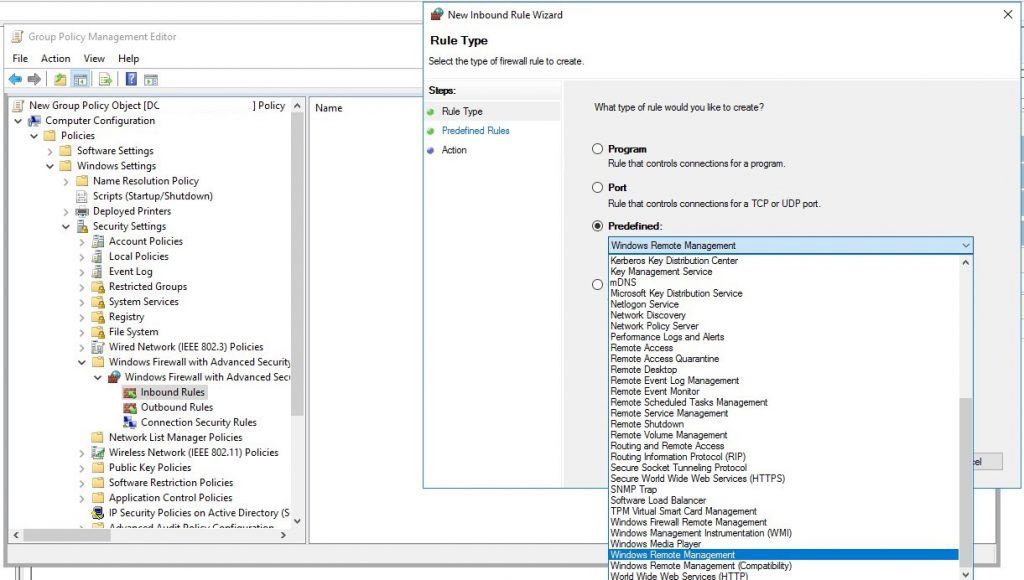
Enable Windows Remote Management Using Domain Policy
This article describes the way to enable Windows Remote Management for multiple domain computers using domain policy configuration.
Service auto-start

Enable WinRM to access from certain IP addresses.


Firewall rules